Back
How to Build a Design Portfolio That Gets You Hired
19/09/2026
How to Build a Design Portfolio That Gets You Hired
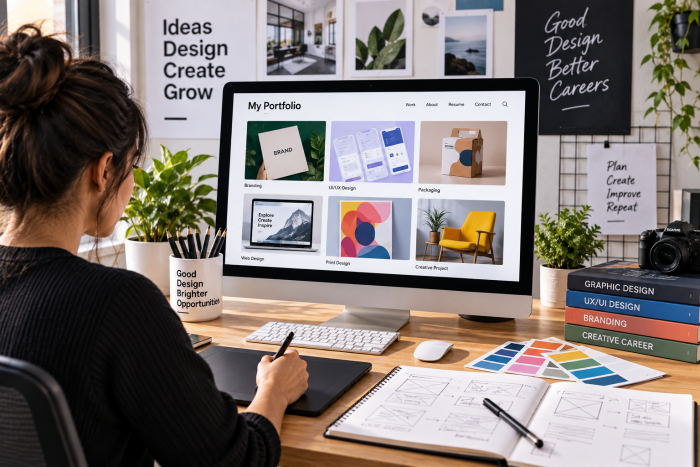
A strong design portfolio is more than a collection of attractive images. It should show employers what you can create, how you approach problems, the decisions you make and the value you bring to a project.
For designers applying for graphic design, UI/UX, digital design, branding, product design or creative roles in the UK, your portfolio can give employers a quick understanding of your experience and capabilities.
Current design vacancies on DesignJobBoard.co.uk regularly ask candidates to demonstrate their work through a portfolio. For example, a current Designer listing asks for a strong portfolio showing print and digital work from concept through completion, alongside skills such as Adobe Creative Cloud and communication.
This guide explains what to include in a design portfolio, how many projects to show, how to structure case studies and the mistakes you should avoid.
What Is a Design Portfolio?
A design portfolio is a curated collection of your strongest work that demonstrates your skills, experience, creative thinking and ability to solve design problems.
Depending on your career, your portfolio might contain:
- Graphic design projects
- Branding and visual identity
- UI/UX projects
- Website designs
- App interfaces
- Advertising campaigns
- Packaging design
- Editorial design
- Illustration
- Motion graphics
- Social media campaigns
- Digital marketing assets
- Print design
- Personal or experimental projects
The important point is curation rather than quantity. A portfolio should make it easy for an employer to understand what type of designer you are and what kind of work you can contribute.
Current portfolio guidance commonly recommends focusing on a small number of detailed projects rather than presenting a large gallery of shallow examples. Three to five strong case studies is a useful range for many designers.
What Should You Include in a Design Portfolio?
A professional portfolio should usually contain five key areas.
1. A Clear Introduction
Your homepage should quickly explain:
- Who you are
- What type of designer you are
- Your main areas of expertise
- Where you are based
- What type of work you are interested in
For example:
Digital Designer specialising in UI/UX, branding and visual communication. I create user-focused digital experiences and visual identities for businesses and organisations.
Avoid writing a long biography on the homepage. The first screen should help the employer understand your professional focus quickly.
2. Your Best Design Projects
Choose projects that demonstrate the skills required for the jobs you want.
For example, if you're applying for a Graphic Designer role, consider showing:
- Brand identity
- Marketing campaigns
- Brochures
- Social media graphics
- Packaging
- Advertising
- Print and digital work
For a UI/UX Designer role, show:
- User research
- Wireframes
- User flows
- Prototypes
- Interface designs
- Design systems
- Usability testing
- Final product
For a Digital Designer position, include:
- Website design
- Landing pages
- Digital campaigns
- Email design
- Social media
- Interactive content
- Responsive layouts
This is particularly important because current UK design vacancies can request portfolios demonstrating specific types of work. One DesignJobBoard listing, for example, asks candidates to demonstrate high-quality print and digital work and experience with Adobe Creative Cloud.
How Many Projects Should You Show?
For most designers, 3–5 strong projects is a useful starting point.
The goal isn't to show everything you've ever designed. Instead, select projects that demonstrate different skills while remaining relevant to the role.
A possible portfolio structure
Project 1 — Your strongest project
Show your most impressive and relevant work first.
Project 2 — Different design challenge
Demonstrate another skill or industry.
Project 3 — Complex project
Show your problem-solving and decision-making abilities.
Project 4 — Collaborative project
Demonstrate teamwork and communication.
Project 5 — Experimental or specialist project
Use this to demonstrate an additional skill that supports your target role.
Portfolio guidance from several current design resources similarly suggests a focused selection of roughly three to five detailed case studies rather than a large collection of shallow projects.
Quality matters more than quantity
Showing 15 projects doesn't necessarily make your portfolio stronger.
If an employer only has limited time to review your work, a portfolio containing three excellent projects can communicate your capabilities more effectively than a gallery containing 20 poorly explained projects.
How to Structure a Design Case Study
A case study explains the story behind a project.
Instead of simply showing the final design, explain:
Problem → Research → Thinking → Design → Testing → Result
A useful structure is:
1. Project Overview
Start with a quick summary.
Include:
- Project name
- Client/company
- Industry
- Project type
- Your role
- Team
- Timeline
- Tools used
Example:
Project: E-commerce Website Redesign
Role: UI/UX Designer
Timeline: 8 weeks
Team: Product Manager, Developer, Marketing Manager
Tools: Figma, Photoshop, Illustrator
This allows someone scanning your portfolio to understand the project immediately.
2. The Challenge
Explain what problem you were trying to solve.
For example:
The existing website had a high number of visitors but users were struggling to find products quickly. The project focused on improving navigation and creating a simpler purchasing journey.
Don't simply write:
"The client wanted a new website."
Explain why the project existed.
3. Research and Discovery
Show how you investigated the problem.
Depending on the project, this could include:
- User interviews
- Competitor research
- Customer feedback
- Analytics
- Existing website analysis
- Market research
- Brand research
- User personas
- Content audits
You don't need to include every research document. Select the evidence that explains your design decisions.
4. Your Design Process
Show how the project developed.
For UI/UX projects, this might include:
Research → User flows → Wireframes → Prototypes → Testing → Final UI
For branding:
Brief → Research → Concepts → Logo development → Colour → Typography → Brand system
For graphic design:
Brief → Research → Concepts → Design development → Feedback → Final artwork
A portfolio should demonstrate your thinking rather than only displaying polished final screens. This is a recurring theme in current portfolio guidance.
5. Show Your Design Decisions
This is one of the most valuable parts of a case study.
Don't just say:
"I created three concepts."
Explain why you selected a particular direction.
For example:
I initially explored three visual directions. The first was highly minimal, while the second used stronger colours and photography. After reviewing the target audience and brand positioning, I developed the second direction further because it provided stronger visual differentiation.
This demonstrates judgement.
6. Show Iterations
Don't hide everything that happened before the final design.
Showing selected iterations can demonstrate:
- How your ideas evolved
- How you responded to feedback
- How you solved problems
- How you worked with stakeholders
- How you improved the design
You don't need to show every rejected concept.
Show the important decisions.
7. Present the Final Design
Now show the finished work.
Depending on the project, include:
- Desktop screens
- Mobile screens
- Mock-ups
- Brand applications
- Print materials
- Packaging
- Advertising
- Prototypes
- Before-and-after comparisons
Use large, high-quality images, but don't let the visuals overwhelm the explanation.
8. Explain the Results
Whenever possible, demonstrate the outcome.
Results could include:
- Increased conversions
- Improved engagement
- Reduced task completion time
- Increased enquiries
- Improved usability
- Successful campaign delivery
- Positive client feedback
- Successful product launch
If you don't have numerical data, don't invent it.
Instead, explain the measurable or practical outcome you can genuinely support.
For example:
The redesigned interface was launched across the company's website and mobile experience and became the new foundation for subsequent product improvements.
9. What You Learned
Finish the case study with a short reflection.
Discuss:
- What worked
- What didn't work
- What you would change
- What you learned
- What you would do differently next time
This can make a portfolio feel much more authentic because it demonstrates self-evaluation rather than presenting every project as perfect.
Design Portfolio Case Study Template
You can use this structure for almost every project:
Project Overview
Project:
Client:
Role:
Timeline:
Team:
Tools:
The Challenge
What problem needed to be solved?
Research
What information did you gather?
Strategy
What direction did you choose and why?
Concept Development
What ideas did you explore?
Design Process
How did you develop the solution?
Key Decisions
Why did you make the most important design choices?
Final Design
Show the completed work.
Results
What changed after the project?
Reflection
What did you learn?
Common Design Portfolio Mistakes
1. Showing Too Many Projects
More isn't always better.
Remove projects that:
- Are outdated
- Don't represent your current skill level
- Are unrelated to your target role
- Have weak presentation
- Don't demonstrate anything new
Your portfolio should be curated.
2. Only Showing the Final Design
A gallery of finished designs doesn't explain how you work.
Show enough process to demonstrate your thinking.
Current portfolio guidance repeatedly emphasises that employers want to understand decisions, constraints and problem-solving rather than simply seeing polished screens.
3. Not Explaining Your Role
If you worked as part of a team, clearly state what you did.
Instead of:
"We redesigned the website."
Say:
"I was responsible for UX research, wireframes and the responsive interface design while working with the product manager and development team."
This makes your contribution clear.
4. Making Every Project Look the Same
A portfolio containing five visually similar projects may not demonstrate enough range.
Try to show different:
- Problems
- Industries
- Design challenges
- Deliverables
- Collaboration styles
However, relevance should come before variety.
5. Poor Image Quality
Avoid:
- Blurry screenshots
- Tiny interface images
- Poorly cropped mock-ups
- Inconsistent image sizes
- Excessive animations
- Low-resolution exports
Your portfolio itself is evidence of your attention to detail.
6. Too Much Text
A case study shouldn't become a 5,000-word essay.
Use:
- Short paragraphs
- Headings
- Bullet points
- Captions
- Visual explanations
- Highlighted results
Make it easy to scan.
7. No Context
A beautiful logo or website screenshot tells the employer very little without context.
Explain:
Who was it for?
What was the problem?
What was your role?
Why did you make those decisions?
What happened afterwards?
8. Not Optimising for Mobile
Recruiters and hiring managers may view your portfolio on different devices.
Check:
- Mobile navigation
- Image sizes
- Typography
- Loading speed
- Buttons
- Case-study layout
- Contact information
Your portfolio should work as well on mobile as it does on desktop.
How to Make Your Design Portfolio Stand Out
Focus on the role you want
If you're applying for UI/UX jobs, don't make your portfolio 80% print design.
If you're targeting branding roles, make your identity projects prominent.
Your portfolio should support the type of work you want to be hired for.
Put your strongest project first
Don't make the employer search for your best work.
Your first project should immediately communicate your level and specialisation.
Make navigation simple
A good portfolio can use a simple structure:
Home | Work | About | Contact
Then organise your projects under Work.
Avoid complicated navigation that makes the employer hunt for your case studies.
Add a clear CV link
Include an easily visible link to your CV.
You can also provide:
- Professional social profiles
- Contact form
DesignJobBoard.co.uk provides job-search functionality and career resources for designers looking for UK opportunities, making it a useful destination alongside your own portfolio when you're actively searching for roles.
Browse Design Jobs on DesignJobBoard.co.uk
Design Portfolio Checklist
Before applying for a design job, check:
- My portfolio clearly states what type of designer I am.
- I have selected 3–5 strong projects.
- My strongest project appears early.
- Each project explains my role.
- I explain the problem behind each project.
- I show relevant process.
- I explain important design decisions.
- I show the final result clearly.
- I include measurable results where available.
- I don't exaggerate or invent project outcomes.
- Images are high quality.
- The portfolio works well on mobile.
- Navigation is simple.
- My CV is easy to find.
- My contact details are visible.
- The portfolio is targeted towards the jobs I'm applying for.
Final Thoughts
A successful design portfolio should answer one central question:
"Why should an employer believe this designer can solve our problems?"
The answer shouldn't come only from attractive visuals. Your projects should demonstrate your ability to understand a brief, investigate a problem, develop ideas, make informed decisions, collaborate with others and deliver a finished solution.
For most designers, three to five carefully selected case studies provide enough space to demonstrate depth without overwhelming the person reviewing the portfolio.
If you're looking for design opportunities in the UK, you can also browse current vacancies on DesignJobBoard.co.uk and tailor your portfolio towards the skills and project types appearing in relevant job descriptions. The site's current listings include graphic, digital and other design-related roles, with some adverts explicitly requesting portfolios.
FAQs: How to Build a Design Portfolio That Gets You Hired
1. How many projects should I include in my design portfolio?
For most designers, 3–5 strong projects are enough. Focus on quality, relevance and showing different skills rather than including every project you have completed.
2. What should I include in a design portfolio?
Include your strongest and most relevant work, along with your role, project objectives, design process, key decisions, final designs and results. The exact projects should match the type of design jobs you want to secure.
3. Should I include personal projects in my design portfolio?
Yes. Personal projects can demonstrate creativity, experimentation and initiative, particularly when you have limited professional experience. Clearly identify them as personal projects.
4. What should a design portfolio case study include?
A useful case study can include the project brief, problem, research, your role, design process, concepts, key decisions, final solution and results. Keep the explanation concise and support it with relevant visuals.
5. Should I show my design process in my portfolio?
Yes. Showing selected sketches, wireframes, concepts, iterations or prototypes can help employers understand how you approach problems rather than seeing only the finished design.
6. How can I make my design portfolio stand out?
Choose relevant projects, lead with your strongest work, explain your contribution clearly and demonstrate the reasoning behind important design decisions. Keep the website easy to navigate and visually consistent.
7. Should I tailor my design portfolio for each job?
Yes. Where practical, prioritise projects and skills that match the job description. For example, a UI/UX position may require more interface and user-experience work, while a branding position may benefit from stronger identity projects.
8. What are common design portfolio mistakes?
Common mistakes include showing too many projects, using poor-quality images, providing little project context, failing to explain your role, hiding the design process, using excessive text and making the portfolio difficult to navigate.
9. Should I include my CV in my design portfolio?
Yes. Include an easily accessible CV along with your contact details and relevant professional profiles such as LinkedIn.
10. Can a design portfolio help me get a design job?
A portfolio can help employers assess your skills, experience, design thinking and suitability for a role. It should complement your CV and application rather than simply acting as a gallery of finished designs.